Google Business Profile AI Messaging: What It Means for Your Business
By Alvin Neal, Principal Creative Director, Vinton Adler & Co.
Published November 1, 2026 · Updated November 1, 2026
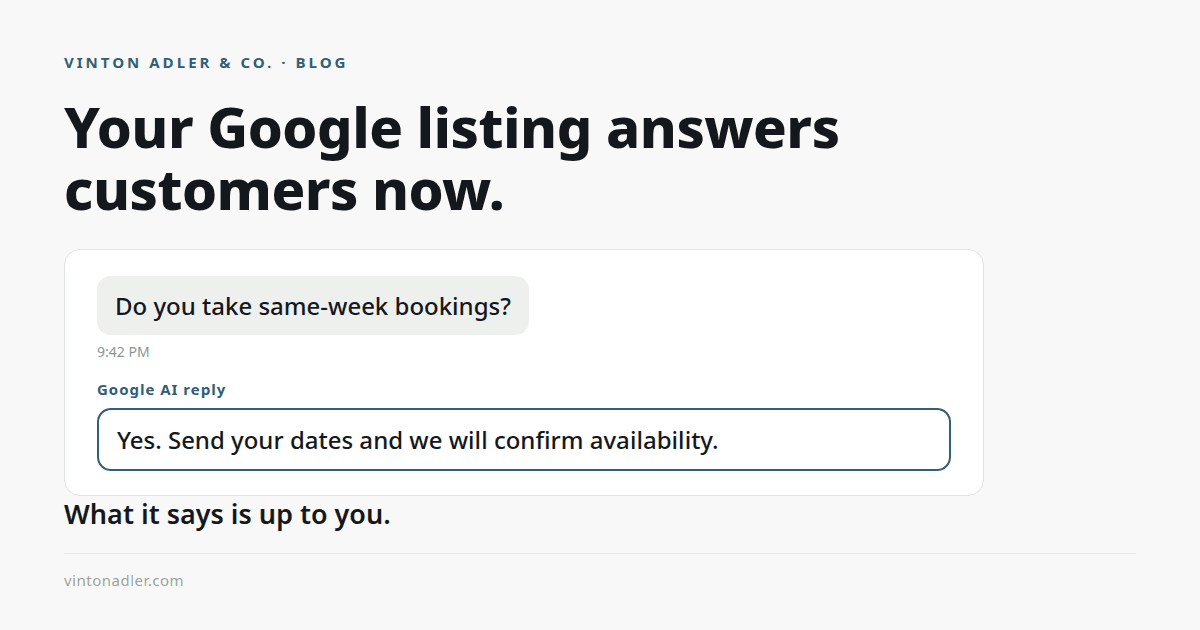
Google is adding an AI agent to Business Profiles that answers your customers for you. For a business that misses messages today, that sounds like free help. It can be. It can also repeat your oldest mistake to every customer who asks, instantly, in your name. This post covers what the agent does, what it answers from, and the check to run before you turn it on.
Key takeaways
- Google is rolling out AI-powered messaging on Business Profiles to more businesses. Search Engine Roundtable reported the wider rollout on October 29, 2026.
- The agent answers routine customer questions instantly, from your profile data, at no cost.
- Questions the agent cannot answer are handed off, and you can take over a conversation at any time.
- The agent is only as accurate as your profile. Old hours or a missing service become wrong answers, sent instantly, in your name.
- Check the profile first. Then turn on the agent.
Rather talk it through? Fifteen minutes, and we tell you plainly whether we can fix it.
Book a Free 15-Minute AssessmentWhat Google Business Profile AI messaging is
It is an AI agent Google is adding to Google Business Profiles. When a customer messages your business from Search or Maps, the agent answers routine questions right away, using the information on your profile: your hours, your services, your menu if you serve food, and the rest of what your profile states.
Google's own screen describes it this way: the AI agent will answer routine questions from customers, instantly and at no cost, with a footnote for RCS-supported phones on participating networks. Questions the agent cannot answer get handed off. The business can take over at any time, and messages are viewed from the Business Profile. (Reported by Search Engine Roundtable, October 29, 2026.)
The check to run before you turn it on
- Look for the red dot on Messages in your profile. Claudia Tomina, quoted in the rollout report, gave that as the sign the feature has reached you.
- Read your hours the way a stranger would. If they are last season's hours, the agent will state them as fact.
- Read your services list. Anything missing is a service the agent will say you do not offer.
- If you serve food, read your menu. An out-of-date menu does not stay quiet now. It gets repeated to the next customer ready to book.
- Check your phone number and your booking link. The agent's job is to move the customer to the next step, and it can only use the steps your profile gives it.
The gap: the agent answers from your profile, not from your judgment
The agent knows one thing: your profile. It does not know that you close early on the last Friday of the month, that one service is paused, or that a regular gets a different answer. It was not in the room for any of that. It answers routine questions with profile facts, in your voice's place, without your rules.
That is fine when the profile is current. The cost shows up when it is not. An old hour, a missing service, or a price you changed last spring used to sit quietly on a listing few people read closely. Now it gets stated, instantly and with confidence, to a customer who was ready to act.
The fix is not to refuse the tool. The fix is order: make the profile true first, then let the agent speak for it.
Why response speed is the real issue underneath this
Businesses are not losing customers to slow perfection. They are losing them to silence. One service shop author calculated that 3 missed calls a week is 156 a year, and if one third of those callers converted at a $500 average ticket, that is about $26,000 in lost revenue (Facebook group post, October 30, 2026). A Zenoti front-desk article put a second number on the same gap: 57.4% of missed callers were never followed up (Zenoti, October 2026).
Those are other people's figures, from their own operations and studies, and we cite them as such. The pattern underneath them is the one this rollout answers: the customer who cannot reach you does not wait. An agent that answers in seconds closes part of that gap, as long as what it says is true.
Rather talk it through? Fifteen minutes, and we tell you plainly whether we can fix it.
Book a Free 15-Minute AssessmentWhat we would do, in order
- Run the profile check above. Fix hours, services, menu, phone, and booking link first.
- Turn the agent on only after the profile reads the way you would answer yourself.
- Watch the first conversations from the Business Profile. Correct the profile where the agent's answers show you a gap, because a wrong answer is a profile error before it is an agent error.
- Keep a human path open. The handoff exists for the questions with judgment in them, and those are usually the customers worth the most.
Frequently asked questions
What is Google Business Profile AI messaging?
It is an AI agent Google is adding to Business Profiles. Customers who message you from Search or Maps get instant answers to routine questions, drawn from your profile data. Search Engine Roundtable reported the wider rollout on October 29, 2026.
Does it cost anything?
Google's own screen says the agent answers at no cost, with a footnote for RCS-supported phones on participating networks. The cost to watch is not a fee. It is a wrong answer sent in your name, at speed, from an out-of-date profile.
Can I take over a conversation?
Yes. Per the rollout report, questions the agent cannot answer are handed off, and the business can take over a conversation at any time. Messages are viewed directly from the Business Profile.
What should I check before turning it on?
Your hours, your services, and your menu if you serve food. Claudia Tomina, quoted in the report, put it plainly: look for the red dot on Messages, and make sure the profile is current first. The agent can only answer as well as the profile does.
AI messaging covers one inbox. A lead-response system covers all of them, so every inquiry gets an owner and a next step.
See how a lead-response system worksRather talk it through? Fifteen minutes, and we tell you plainly whether we can fix it.
Book a Free 15-Minute Assessment